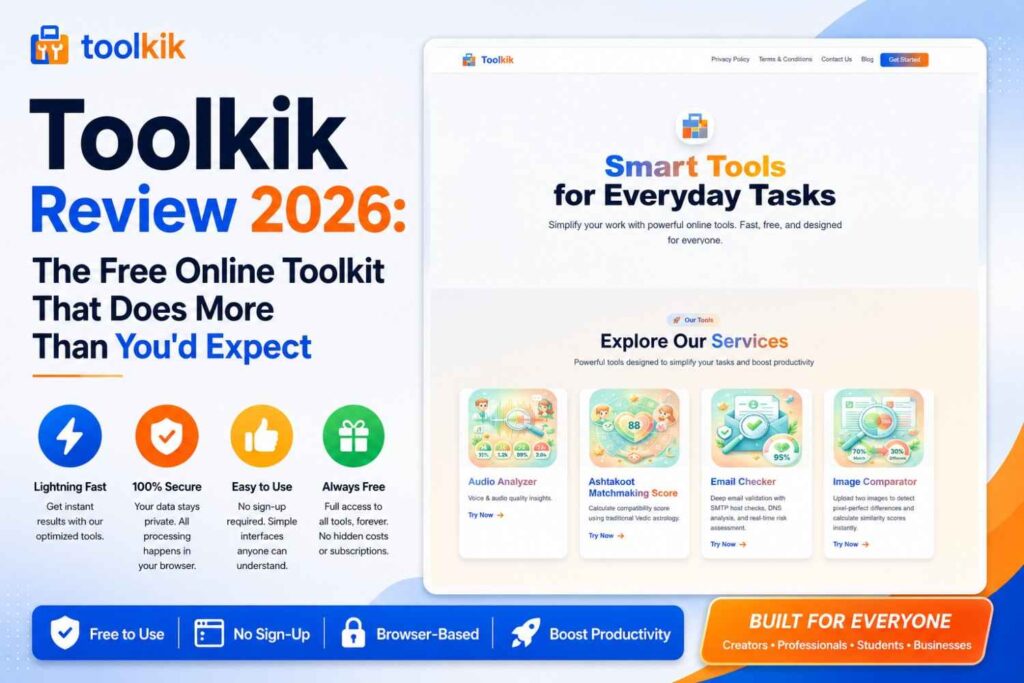
In today’s digital world, efficiency matters. Whether you’re a developer working on code optimization, a designer comparing images, a content creator managing media, or a digital marketer analyzing SEO performance, you need reliable tools that work instantly without complex installations or subscriptions. This is exactly where website tools come in—and ToolKik offers one of the most comprehensive collections of free online website tools available on the internet.
ToolKik has established itself as a trusted platform delivering powerful, browser-based website tools that solve everyday digital challenges. Unlike traditional desktop software that requires installation, technical expertise, and hefty system resources, ToolKik’s collection of online website tools operates directly in your browser. No software downloads, no registration required, no confusing interfaces—just pure, instant functionality.
In this comprehensive guide, we’ll explore ToolKik’s collection of free website tools, explain who benefits from using them, and show you why browser-based tools are revolutionizing how we work online.
What Are Website Tools?
Website tools are specialized utilities designed to solve specific digital problems and streamline workflow. Free website tools have become essential for professionals and hobbyists alike. These online utilities handle everything from audio analysis and email verification to image comparison and matchmaking calculations.
Unlike desktop applications, browser-based website tools offer immediate access. You don’t need to worry about compatibility, system requirements, or taking up storage space. ToolKik’s collection exemplifies this modern approach—offering instant online tools that are equally accessible whether you’re using Windows, Mac, Linux, iOS, or Android.
Why Choose ToolKik’s Browser-Based Website Tools?
Speed and Convenience
When you need quick solutions, ToolKik delivers. Browser tools eliminate the friction of installation and setup. Simply visit ToolKik, select your tool, and start working immediately. This instant access is why online website tools have become the preferred choice for professionals who value their time.
No Installation Required
One of the biggest advantages of ToolKik’s free online tools is the zero-installation requirement. You avoid:
- Lengthy download times
- Complex installation wizards
- System resource consumption
- Compatibility headaches
- Mandatory software updates
Just open your browser and start using ToolKik’s online utilities instantly.
Privacy and Security
Your data security matters. ToolKik’s website tools are designed with privacy-first principles. Most processing happens locally on your device, and ToolKik maintains strict data protection standards. You’re never locked into a complicated registration process just to use a simple utility tool.
Cross-Platform Accessibility
Whether you’re working from a desktop computer, tablet, or smartphone, ToolKik’s browser tools work seamlessly. There’s no “Windows version” or “Mac version”—just one unified experience across all devices and operating systems. This cross-platform compatibility makes ToolKik’s collection truly universal.
Mobile-Friendly Design
ToolKik understands modern work happens everywhere. All online website tools are optimized for mobile devices, ensuring you can solve problems on the go without sacrificing functionality or usability.
Featured ToolKik Website Tools
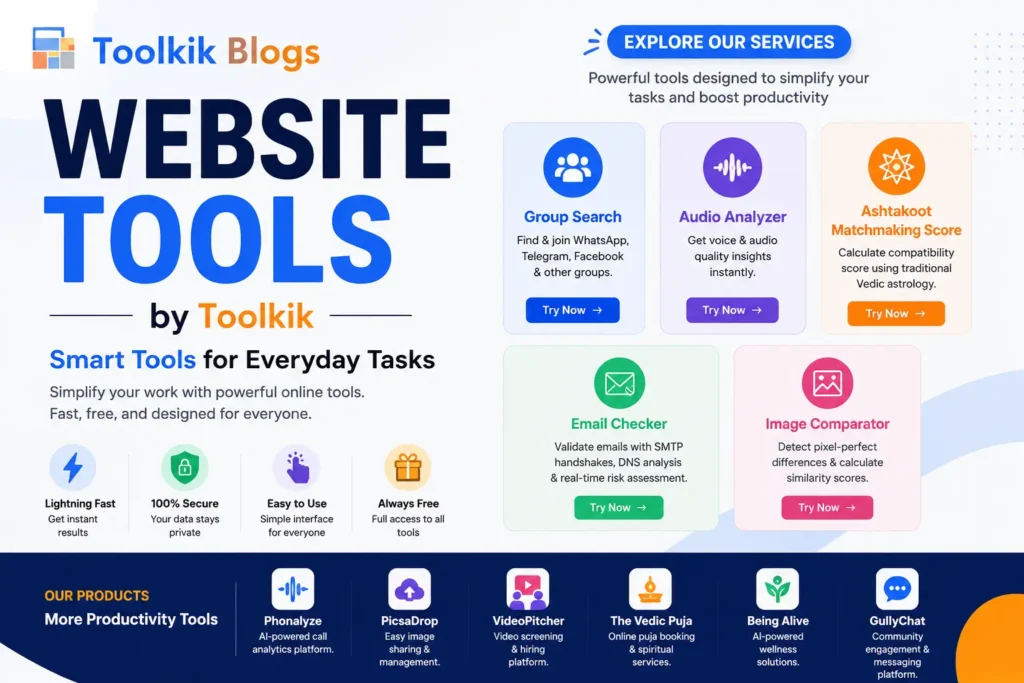
ToolKik’s collection includes dozens of powerful utilities. Here are some standout tools that showcase what the platform offers:
Group Search
Group Search is a powerful online utility designed for researchers, marketers, and information analysts. This website tool allows you to search multiple search engines simultaneously and compare results. Whether you’re conducting competitive research or gathering comprehensive data, Group Search eliminates the tedious task of running identical searches across multiple platforms.
Who benefits: SEO professionals, digital marketers, researchers, content strategists
Audio Analyzer
The Audio Analyzer is a sophisticated yet user-friendly browser-based tool for audio processing. This online utility helps you analyze audio files, extract insights, and understand sound characteristics without professional audio engineering software.
Benefits:
- Instant audio analysis
- No specialized knowledge required
- Detailed frequency insights
- Perfect for podcasters, musicians, and audio professionals
Who benefits: Podcasters, musicians, audio engineers, content creators
Ashtakoot Matchmaking Score
ToolKik brings traditional matchmaking into the digital age with the Ashtakoot Matchmaking Score calculator. This cultural and astrological tool helps individuals understand compatibility based on Vedic principles. It’s a unique addition to ToolKik’s diverse collection of free online tools.
Who benefits: Individuals exploring compatibility, astrology enthusiasts, couples, families
Email Checker
Email validation is critical for marketers, developers, and business owners. The Email Checker tool from ToolKik instantly verifies email addresses without leaving your browser. This productivity tool helps maintain clean email lists, reduce bounces, and improve deliverability.
Key features:
- Real-time email validation
- Batch email checking capability
- Instant results
- No software required
Who benefits: Digital marketers, email campaign managers, developers, business owners
Image Comparator
Visual comparison is now effortless with ToolKik’s Image Comparator. This browser-based utility allows you to analyze two images side-by-side, detect differences, and understand changes. It’s invaluable for designers, quality assurance teams, and anyone needing detailed visual analysis.
Applications:
- Comparing design versions
- QA testing and quality checks
- Before-and-after visualization
- Photo editing verification
ToolKik Productivity Products
Beyond standalone website tools, ToolKik has developed comprehensive productivity products:
Phonalyze
Phonalyze is a complete phone number analysis utility. This online tool provides insights into phone numbers, including location data, carrier information, and validation status—all within your browser.
PicsaDrop
PicsaDrop transforms how you handle images. This utility tool offers cloud-based image management, editing, and sharing capabilities without the complexity of traditional image software.
VideoPitcher
VideoPitcher is ToolKik’s video management and processing utility. Convert, compress, and edit videos directly in your browser without installing video software.
The Vedic Puja
Combining technology with tradition, The Vedic Puja brings cultural and spiritual practices into the digital realm, offering guided virtual experiences and educational content.
Being Alive
Being Alive focuses on wellness and personal development. This unique productivity tool provides meditation guides, wellness tracking, and mental health resources.
GullyChat
GullyChat is ToolKik’s communication platform, enabling real-time messaging and collaboration without external software dependencies.
Who Benefits From ToolKik’s Website Tools?
ToolKik’s collection serves diverse professionals and hobbyists:
Students and Educators
Students use ToolKik’s free online tools for research, audio analysis, and academic projects. Educators leverage these browser tools for teaching and demonstrating concepts without requiring students to install software.
Developers and Programmers
Developers rely on ToolKik’s collection for quick utility tasks—email validation, image comparison, and data analysis—keeping them productive without context switching to multiple applications.
Designers and Creative Professionals
The Image Comparator and other visual tools in ToolKik’s collection help designers maintain quality, compare versions, and streamline creative workflows.
Bloggers and Content Creators
Creating content requires multiple tools. ToolKik’s free website tools—from audio analysis to image comparison—help bloggers and content creators produce better work efficiently.
SEO Professionals and Digital Marketers
Group Search and Email Checker are favorites among digital marketing professionals. These online utilities streamline research, list validation, and competitive analysis without heavy software.
HR Teams and Recruiters
The Ashtakoot Matchmaking Score and communication tools help HR professionals with team building and candidate compatibility analysis.
Business Owners and Entrepreneurs
Business owners appreciate ToolKik’s no-nonsense approach. These free online tools reduce operational costs while maintaining professional-grade functionality.
Freelancers
Freelancers working across multiple projects benefit from ToolKik’s lightweight, instant-access utilities that don’t strain their systems or budget.
How to Use ToolKik Website Tools – Simple Step-by-Step Guide
Using ToolKik is deliberately straightforward:
Step 1: Visit ToolKik Navigate to https://toolkik.com/ in any modern web browser.
Step 2: Browse or Search Explore the tools by category or use the search function to find exactly what you need.
Step 3: Select Your Tool Click on the tool you want to use. No registration or login required for most tools.
Step 4: Upload or Input Your Data Follow the simple, intuitive interface to input your data or upload files.
Step 5: Get Instant Results Watch as ToolKik processes your request and delivers results in seconds.
Step 6: Download or Use Results Download your results, share them, or continue working within the tool.
That’s it. No complex setup, no steep learning curve, just instant productivity.
Why Browser-Based Tools Are Replacing Desktop Software
The shift toward browser-based website tools represents a fundamental change in how professionals work:
Reduced Technical Barriers
Desktop software requires system specifications, updates, and maintenance. Browser tools eliminate these friction points entirely.
Cost Efficiency
ToolKik’s free online tools offer enterprise-grade functionality without subscription fees or licensing complications.
Always Up-to-Date
Browser tools automatically receive updates without user intervention, ensuring you’re always using the latest version.
Collaboration-Friendly
Browser-based website tools make collaboration easier. Share links, work simultaneously, and maintain version control naturally.
Environmental Impact
Cloud-based utilities require fewer resources than individual installations across multiple devices, reducing digital footprint.
Understanding the ToolKik Blog
ToolKik Blog (blog.toolkik.com) is your comprehensive resource for maximizing these online utilities. The blog covers:
Tool Tutorials and Guides
Step-by-step tutorials help you master each website tool in ToolKik’s collection, from basic usage to advanced techniques.
Productivity Tips
Learn workflow optimization strategies, time-saving shortcuts, and best practices for professionals across industries.
Feature Announcements
Stay informed about new website tools added to ToolKik’s collection and exciting updates to existing utilities.
Use Case Studies
Discover how real professionals use ToolKik’s free online tools to solve actual business challenges.
Educational Content
Deep-dive articles explain concepts behind the tools, helping you understand not just how to use them, but why they matter.
Following blog.toolkik.com ensures you never miss important updates and always get the most value from ToolKik’s collection.
The Future of Online Website Tools
As digital work continues evolving, the advantages of browser-based website tools become increasingly apparent. ToolKik stands at the forefront of this transformation, continuously expanding its collection while maintaining the simplicity and reliability professionals depend on.
The future favors tools that respect your time, protect your privacy, and deliver results instantly. ToolKik embodies all three principles across its entire collection of free online website tools.
Conclusion
ToolKik has built something remarkable—a comprehensive collection of free online website tools that genuinely solve real problems without unnecessary complexity. Whether you need email validation, image comparison, audio analysis, or cultural compatibility calculation, ToolKik has a browser-based solution waiting for you.
The best part? You can start using these powerful utilities right now, without installation, registration, or payment. Visit https://toolkik.com/ today and experience why professionals worldwide are choosing browser-based website tools.
For tutorials, tips, and updates about ToolKik’s growing collection of free online tools, subscribe to or bookmark blog.toolkik.com. Join the community of professionals who’ve discovered that the best website tools are the ones that get out of your way and let you work.
Your next breakthrough in productivity might be just one click away on ToolKik.
Frequently Asked Questions
1. What are website tools?
Website tools are online utilities designed to solve specific digital problems instantly. ToolKik’s collection includes browser-based website tools like email validators, image comparators, and audio analyzers that operate directly in your web browser without requiring any software installation or complex setup.
2. Are ToolKik’s website tools really free?
Yes, all ToolKik website tools in the main collection are completely free to use. There’s no freemium model, hidden charges, or paid upgrades. You simply visit ToolKik, select your tool, and start working immediately.
3. Do I need to register or create an account to use ToolKik website tools?
Most ToolKik website tools require no registration whatsoever. You can use the entire collection of free online tools without creating an account or providing personal information. It’s completely anonymous and immediate.
4. Can I use ToolKik website tools on my mobile phone?
Absolutely. All ToolKik website tools are mobile-friendly and work perfectly on smartphones and tablets. Since they’re browser-based tools, just open your mobile browser and access ToolKik as you normally would.
5. Which professionals benefit most from ToolKik website tools?
ToolKik’s collection serves diverse professionals including developers, SEO specialists, digital marketers, designers, content creators, email marketers, HR professionals, and business owners. Essentially, anyone needing quick, reliable online utilities benefits from these free website tools.
6. How do ToolKik website tools compare to desktop software?
ToolKik website tools offer significant advantages: no installation required, no system resource consumption, automatic updates, better cross-platform compatibility, and they’re absolutely free. The main trade-off is that some specialized professional software may offer more advanced features for specific use cases.
7. Is my data safe when using ToolKik website tools?
Yes. ToolKik prioritizes data privacy and security. Most processing happens on your device locally, and the platform doesn’t require registration or data collection for most tools. Always review privacy policies for specific tools if you have concerns about sensitive data.
8. What’s the difference between ToolKik website tools and productivity products like PicsaDrop?
Website tools are standalone utilities for specific tasks (like email checking or image comparison). Productivity products like PicsaDrop, VideoPitcher, and Phonalyze are more comprehensive platforms offering multiple features and potentially advanced functionality, though many remain free or freemium.
9. How often does ToolKik add new website tools?
ToolKik regularly expands its collection of free online website tools. Follow blog.toolkik.com for announcements about new tools, feature updates, and improvements to existing utilities.
10. Where can I learn tips and tutorials for ToolKik website tools?
Blog.toolkik.com is your comprehensive resource for tutorials, guides, productivity tips, and feature announcements. The ToolKik Blog provides educational content to help you maximize these free online tools.