
An online comparison tool is essential when you need to quickly identify differences between text, documents, code, or images. Comparator Toolkit is a free, browser-based online comparison tool that allows users to compare text, files, PDFs, Word documents, and images securely without installing any software. Whether you are a developer, content editor, legal professional, or designer, this tool helps you detect changes accurately and efficiently.
Whether you’re a programmer verifying code changes, a lawyer reviewing contract edits, or a designer checking image differences, Comparator Toolkik makes the process intuitive and precise.
What Is an Online Comparison Tool?
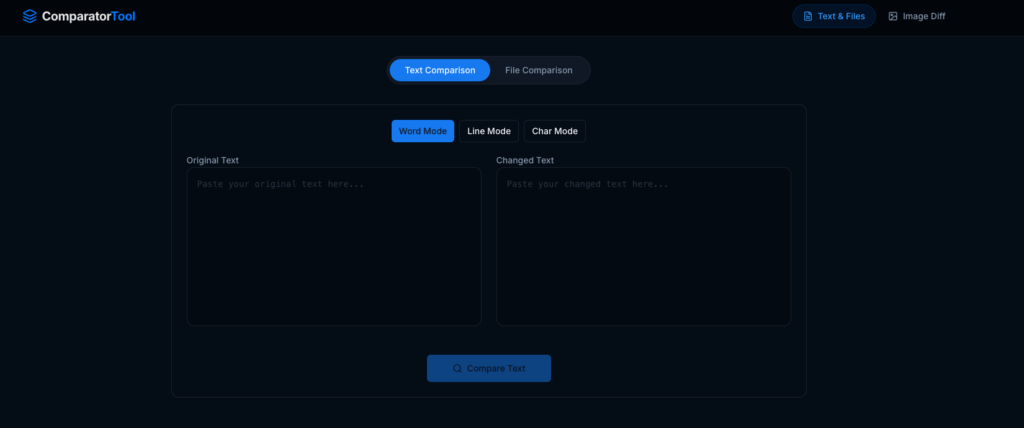
Comparator Toolkit (at comparator.toolkik.com) is an online suite of comparison tools that helps you quickly find differences between:
✔ Text blocks
✔ Word documents (DOCX) and PDFs
✔ Code files
✔ Images (pixel-level comparison)
All comparisons happen directly in your browser — nothing is uploaded to a server or stored permanently — giving you 100% privacy and data security.
Key Features & Benefits of Online Comparison Tool
🧠 1. A Powerful Online Comparison Tool
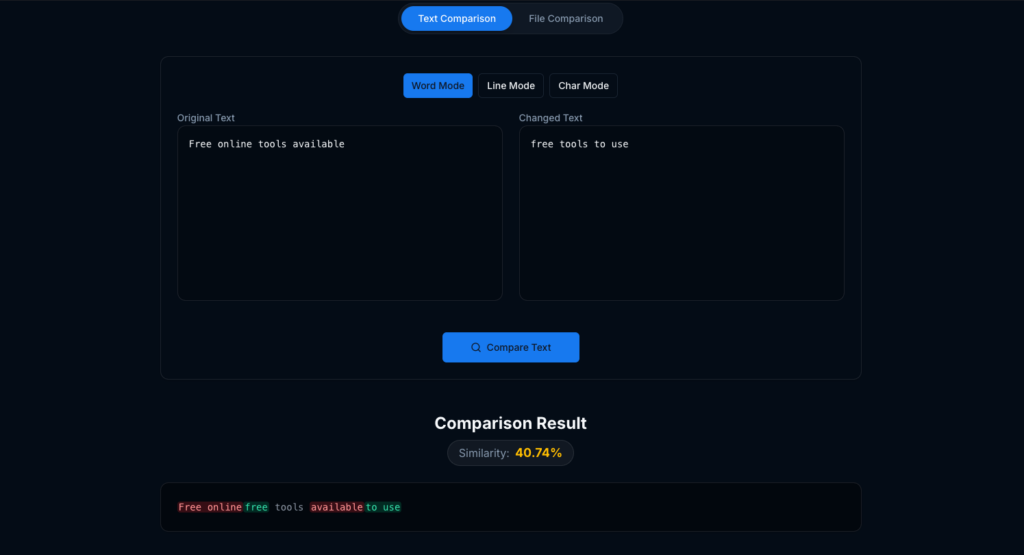
You can paste or upload text and code and instantly see:
• Character-level changes
• Word-level changes
• Line-by-line differences
• Additions, deletions, and modifications
This mode is ideal for developers debugging code or content professionals reviewing revisions.
📄 2. File and Document Comparison Tool for PDFs and Word Files
Comparing complex documents like contracts or manuscripts can be challenging — especially when formatting gets in the way.
Comparator Toolkit’s document parser:
✔ Strips out formatting noise
✔ Focuses on real content changes
✔ Highlights differences clearly
This means you can see meaningful edits without distraction. Great for legal, business, or publishing workflows.
🖼️ 3. Image Comparison Tool for Visual Difference Detection
If you’re a UI/UX designer, QA engineer, or product creator who needs to ensure visuals match exactly, the Image Diff feature lets you:
• Compare two images side-by-side
• Display heatmaps to show pixel-level changes
• Spot even the smallest design regressions
Perfect for validating releases, mockups, or design updates.
Security & Privacy First
One of the biggest concerns with online tools is data privacy — especially when working on sensitive contracts or proprietary code.
Comparator Toolkit is built with privacy at its core:
🔹 No files are stored on disks
🔹 All processing is done in memory
🔹 Uploaded material disappears once comparison is done
🔹 SSL/TLS ensures encrypted data transfer
So even sensitive business information stays safe and private.
Who Should Use Comparator Toolkit?
This tool fits a wide range of users:
⭐ Developers & Engineers
Quickly check code diffs without setting up complex environments.
⭐ Legal & Business Professionals
Spot hidden changes in contracts or policy documents.
⭐ Writers & Editors
Track edits across drafts and ensure consistency.
⭐ Design & QA Teams
Compare UI designs or visual assets efficiently.
How It Works (Simple 3-Step Process)
1️⃣ Upload or paste your original text/file
2️⃣ Upload or paste the changed version
3️⃣ View instantly highlighted differences
It’s that easy — no sign-ups, no licenses, no clutter.
Why Comparator Toolkit Stands Out
Here’s how it compares to traditional methods:
| Feature | Comparator Toolkit | Manual Comparison |
|---|---|---|
| Security | 🔐 100% private | ❌ Risk of leaks |
| Speed | ⚡ Instant | ⏳ Slow |
| Accessibility | 🌐 Works in browser | ❌ Software required |
| Cost | 🆓 Completely free | 💸 Often expensive |
Final Thoughts
In a world where accuracy and efficiency matter, Comparator Toolkit is a powerful ally for anyone who needs to compare text, documents, code, or images without hassle. With its privacy-first design, instant results, and broad range of comparison modes, it delivers professional results — all for free.
👉 Try it today at comparator.toolkik.com and simplify how you compare content forever!
Related Tools You May Find Useful
If you work with digital content regularly, Comparator Toolkit works best alongside other productivity tools from Toolkik:
- Voice Analysis Tool – Analyze tone, pitch, and speech patterns using, Click here to read more about the voice tool
👉 https://voice.toolkik.com/ - Email Reputation Checker – Check email credibility, domain health, and spam risk at
👉 https://emailchecker.toolkik.com/ - Email Reputation Checker – Kundli Match for Marriage by name
👉 https://kundalimatch.toolkik.com/
Together, these tools help professionals validate content accuracy, communication quality, and trustworthiness in one ecosystem.